Laser shading
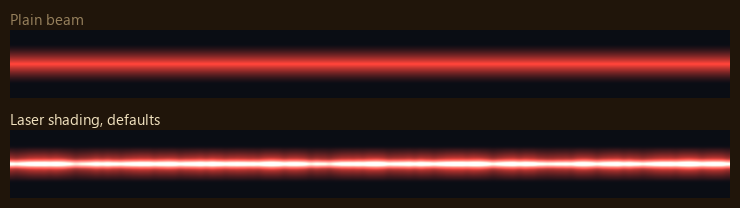
The beam's own texture still gives its colour and shape. The shader adds the white-hot core, the pulses and the soft edges.
Core
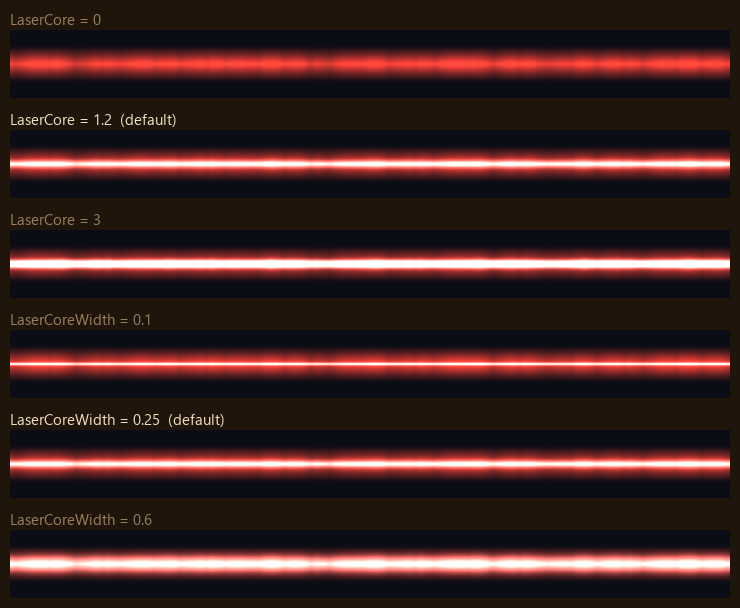
LaserCore = 1.2Core brightness. 0 turns the core off.LaserCoreWidth = 0.25Core width, as a fraction of the beam's half width.
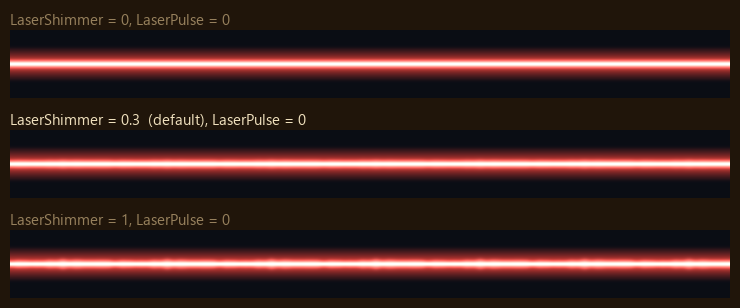
LaserShimmer = 0.3How far the core's width wavers along the beam, as a fraction. 0 keeps it steady, 1 at most.
Pulses
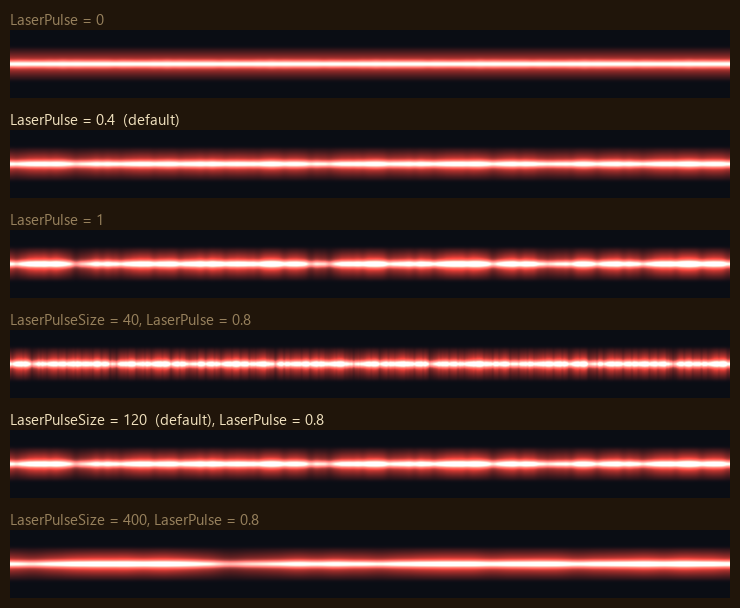
LaserPulse = 0.4How far brightness swings along the beam, as a fraction. 0 is steady.LaserPulseSize = 120World units across one tile of pulse noise. Smaller gives more, shorter pulses.
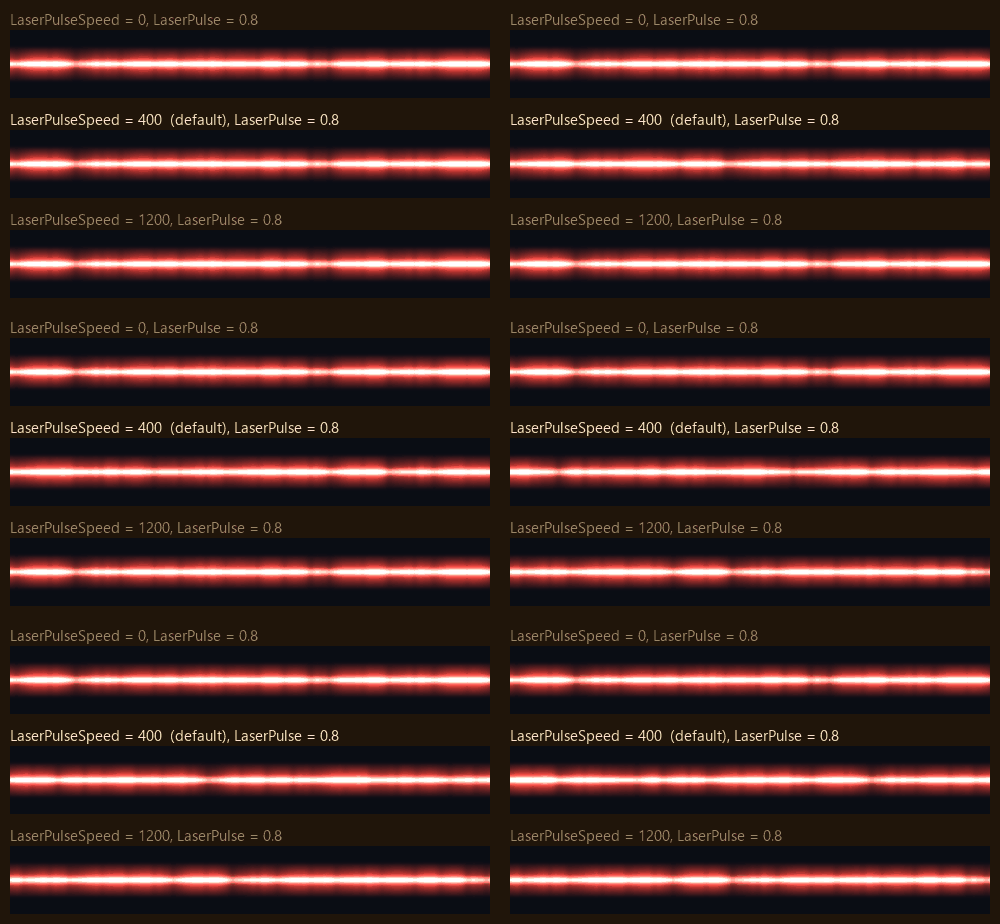
LaserPulseSpeed = 400World units a second the pulses travel towards the target. 0 freezes them. Pulses are fixed along the beam, so they keep flowing smoothly while the shooter moves.
Laser ground glow
Each beam lights the ground with one light shaped like the beam. The ground takes the light at its distance from the nearest point on the beam, measured in three dimensions. Pictures are seen from above, with the beam drawn as a white line.
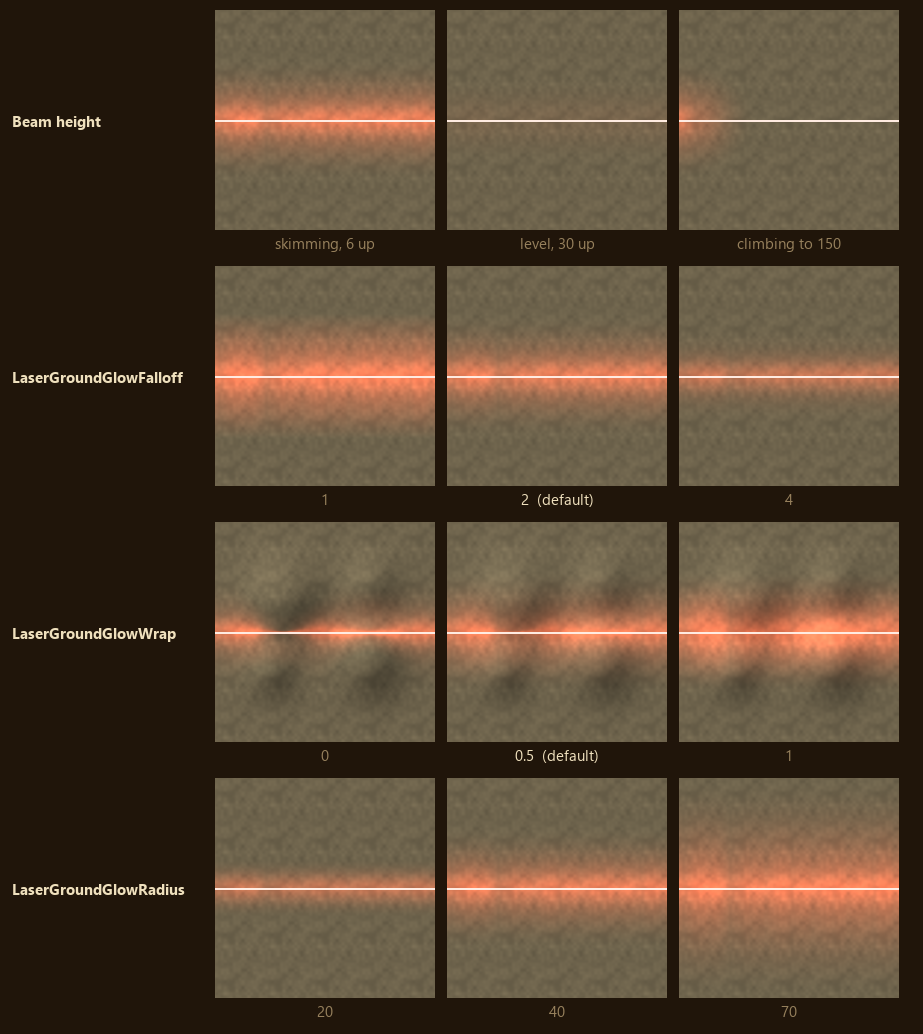
- Beam height - (A beam skimming the ground lights a bright strip. A level beam high above the ground lights little. A beam climbing into the sky lights only the ground near the shooter.)
LaserGroundGlowFalloff = 2How fast the light fades with distance from the beam, as a power. Higher gives a tight bright core, lower a broad wash.LaserGroundGlowWrap = 0.5Light on ground facing away from the beam, from 0 to 1. 0 lights only slopes facing it, so hills show dark backs. 1 lights all ground evenly.LaserGroundGlowRadius = 0How far the light reaches from the beam, in world units. 0 takes 1.25 times the laser'sOuterBeamWidth, at least 15.GroundGlowRadiuson theW3DLaserDrawmodule overrides it for one laser.
The glow's colour and strength come from LaserGroundGlowColor and LaserGroundGlowIntensity,
described under Laser ground glow.